Keeping up with content for YouTube and social media can feel like a full-time job. Between filming, editing, writing captions, and posting regularly, it’s easy to fall behind. That’s where Squirrly Social comes in. It helps you stay consistent without being glued to your screen all week. Whether you’re planning videos or keeping your feeds active, this tool takes care of the details so you don’t have to. With its Full AI Youtube Channel Schedule, you can plan out your entire channel in advance—without the guesswork. Let’s look at how it works and why it might be the shortcut you’ve been looking for.
Revolutionize Content Planning with Full AI Youtube Channel Schedule
Managing a YouTube channel takes focus and time. Many creators spend hours planning what to post, when to post it, and how to keep things moving week after week. That’s where the Full AI Youtube Channel Schedule from Squirrly Social becomes useful.
This feature helps you plan your video content ahead of time without juggling spreadsheets or sticky notes. You can map out a full content calendar for your channel using clear steps. It guides you through choosing topics, deciding on upload days, and spacing out videos in a way that keeps your audience engaged.
The real benefit comes from how it works with the rest of Squirrly Social. Once your video schedule is ready, you can use other tools inside the platform to promote those videos across different social media platforms—without repeating yourself or sounding robotic.
Squirrly Social’s Evergreen 2.0 system rewrites each promotional post using AI so that every share sounds fresh. This means one video can stay active online for weeks without needing constant attention from you. And because posts go into organized Post Groups, everything stays easy to manage—even if you’re running solo or with a small team.
You also don’t have to dig around the internet looking for new ideas all the time. The built-in AI assistant suggests trending topics based on what people care about in your niche right now. That makes it easier to line up future videos that match what viewers already want.
When paired with Next Level Marketing AI inside Squirrly Social, your schedule becomes even more hands-off. New posts get written and added automatically based on what’s coming up in your YouTube plan.
Instead of jumping between apps or guessing what works best, this setup gives structure while saving energy—so you stay visible online without burning out trying to do it all manually every week.
AI-Powered Social Media Management Across All Platforms
Managing multiple social accounts can take a lot of time. It’s hard to stay consistent when you’re juggling posts for Facebook, LinkedIn, Instagram, and Twitter. That’s where Squirrly Social makes a big difference. With one dashboard, you can handle all your social media tasks without switching between apps or logging into each platform.
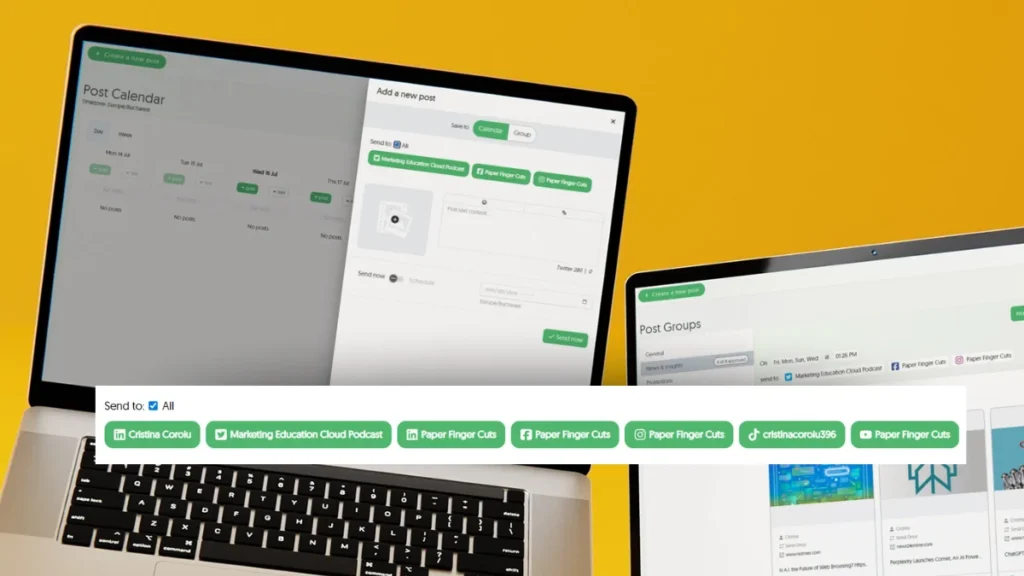
The tool uses AI to help you plan and publish content across channels from one place. Whether you’re posting updates on Facebook or sharing tips on LinkedIn, it keeps everything organized. You don’t need to set reminders or worry about missing a post. Once your schedule is in place, Squirrly Social takes over and keeps things moving.
Its built-in Post Groups feature makes organizing easier. You can group similar types of content—like quotes, blog links, product updates—and assign them to different days or times. This means there’s no need to think about what to post every day. The AI also rewrites posts so they don’t look the same when reused later on.
Finding fresh ideas is another task that eats up hours each week. Squirrly Social helps with that too by finding trending articles related to your niche using its discovery engine powered by AI. These articles can be added directly into your schedule with just a few clicks.
If you’re already using tools for your Full AI Youtube Channel Schedule, this tool fits right in by handling the social side of things effortlessly. While videos go live on YouTube as planned, Squirrly Social makes sure those videos get shared automatically across all your other platforms.
You spend less time managing posts but still show up everywhere online—Facebook timelines, Instagram feeds, Twitter threads—all covered without extra effort from you.
Smart Calendar for Seamless Workflow Integration
Managing content across platforms can take a lot of time. With everything from YouTube uploads to social media posts, it’s easy to lose track of what goes where and when. That’s where the smart calendar inside Squirrly Social makes a difference.
The calendar gives you a clear view of your entire schedule. You can see all your planned content in one spot—whether it’s going on Facebook, LinkedIn, or part of your Full AI Youtube Channel Schedule. It helps you understand what’s coming up next without jumping between tools or spreadsheets.
Using drag-and-drop actions, you can move posts or videos around with ease. Want to shift Tuesday’s post to Friday? Just slide it over. Need to fill in an empty slot for next week? Drop something into place straight from your Post Groups. Everything updates instantly, so there’s no need for extra steps.
This setup works well if you’re planning weekly themes or monthly campaigns. You get the full picture at once without having to guess what was already scheduled. If you’re juggling multiple platforms and trying to stay active everywhere, this visual layout saves time and cuts down confusion.
Squirrly Social also keeps things organized using categories called Post Groups. These help sort different types of content—like promotions, tips, or behind-the-scenes clips—for smarter planning on the calendar itself.
Since the tool connects with Next Level Marketing AI, any auto-generated post also appears in your calendar right away. This means less back-and-forth and more time spent working on other parts of your business.
Whether you’re posting daily or just twice a week, having this kind of control helps keep things steady online without much effort. The smart calendar brings structure without adding extra tasks—it turns scattered ideas into a working plan that fits around how you already operate day-to-day.
Automated Content Recycling to Maximize Reach
Many creators spend hours making videos and writing posts. But once shared, that content often gets buried fast. With Squirrly Social, you don’t have to let strong posts disappear after one use.
The Evergreen 2.0 feature helps you reuse your best-performing content automatically. It doesn’t just repost the same thing—it rewrites it using AI so it looks new each time it’s shared. This means your audience sees fresh versions of your top posts without you having to rewrite anything yourself.
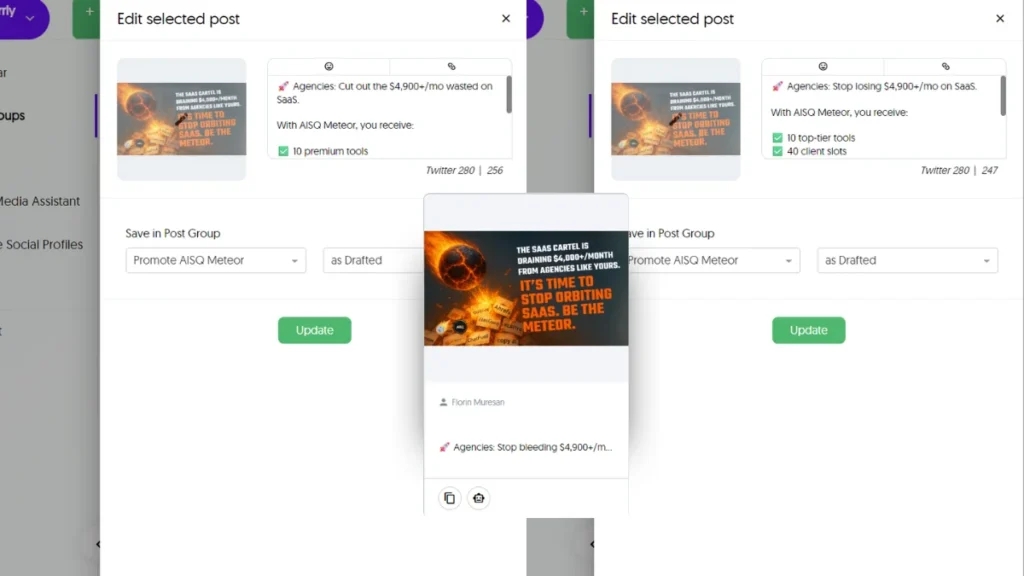
When managing a Full AI Youtube Channel Schedule, this becomes especially helpful. You may already be sharing clips or highlights from your videos on social platforms. Instead of doing this manually every week, Squirrly Social handles it for you through smart automation tools.
You can group content by topic or theme using Post Groups. For example, if you’re running a weekly series on YouTube, create a group for those episodes and let the system rotate them across social channels over time. This increases visibility without repeating the exact same copy.
Squirrly Social also checks which posts get more clicks, likes, or shares—and focuses on reusing those pieces first. That way, you’re not guessing what works; you’re building off proven results.
This is useful when trying to grow reach with limited time or resources. Instead of constantly coming up with new ideas for Twitter, Facebook, LinkedIn, Instagram—or wherever you’re active—your existing material keeps working in the background.
It’s easy to stay visible online while focusing energy elsewhere—like planning upcoming video content or engaging with followers through comments and messages.
Using recycled content that actually performs well helps keep your accounts alive and consistent even during busy weeks or breaks from creating something new every day.
Team Collaboration Made Easy
Working with others on social media and YouTube planning can get messy fast. Files go missing, messages get lost, and people forget what they were assigned. Squirrly Social solves this by giving your team a shared space where everyone sees the same plan. Whether you’re handling a solo project or running a small marketing group, it’s easy to stay organized.
You can invite team members into your workspace and give them different levels of access. For example, someone who only needs to review posts won’t have the ability to change anything. This keeps your content safe while still allowing feedback and teamwork. If you’re working with freelancers or part-time help, this feature saves time since you don’t need to explain everything over email.
The Post Groups feature helps divide tasks between teammates too. One person can focus on content for Facebook while another handles Instagram or YouTube Shorts. Everyone knows what they’re responsible for without having to ask around or dig through folders.
Squirrly Social also connects directly with tools like the Full AI Youtube Channel Schedule system. That means each person in your team sees when videos will go live and how posts support those uploads across platforms like Twitter, LinkedIn, or Instagram.
This setup makes sure nobody overlaps or misses key updates. The built-in AI assistant helps suggest new ideas based on current trends in your niche so that no one runs out of things to post about either.
Even if just one person is managing both video content and social media updates, this tool gives structure without needing extra apps or spreadsheets. Everything from planning to publishing stays in one place where all collaborators can contribute at their own pace.
In-Depth Analytics for Smarter Decisions
Knowing what works and what doesn’t can save a lot of time. With Squirrly Social, you get clear performance data for every post and video. It shows how each piece of content performs across your connected platforms. Views, clicks, shares, and engagement levels appear in one place so you don’t have to jump between apps.
This helps when managing a Full AI Youtube Channel Schedule, especially if you’re short on time. You can see which videos bring the most traffic or which social posts lead to more views. No need to guess anymore—just track the numbers and adjust from there.
Squirrly Social makes it easier by organizing this info into simple charts and reports. You won’t need any extra tools or spreadsheets to understand your results. If a post isn’t doing well, you’ll know right away. That way, you can stop wasting energy on things that aren’t getting attention.
The tool also helps spot patterns over time. Maybe your audience responds better in the evening or prefers shorter posts with links instead of long captions. These insights help shape smarter choices for future content across both YouTube and socials.
Because Squirrly Social groups content by type using Post Groups, it’s simple to compare how different styles perform against each other too—like quotes vs tutorials or tips vs product updates. This saves even more effort when planning what comes next.
For those who rely on evergreen posts that repeat over time, analytics show whether reused content still gets interaction after being rewritten by AI. So nothing is left up in the air—you always know where things stand without having to dig through multiple reports.
With one look at your dashboard, you’ll know what’s working—and why—so every new post supports growth without adding stress or confusion along the way.
Smarter Scheduling, Stronger Online Presence
With the right tools, staying consistent online doesn’t have to be overwhelming. By using a Full AI Youtube Channel Schedule alongside smart social media automation, creators and small teams can finally take control of their content strategy without burning out. Squirrly Social makes this possible by streamlining planning, repurposing content intelligently, and keeping your channels fresh with minimal effort. Its AI-driven features—from automated recycling to collaborative calendars—help you show up regularly and professionally across platforms. Whether you’re managing it solo or with a small team, this tool transforms how you stay visible online—efficiently and effortlessly.