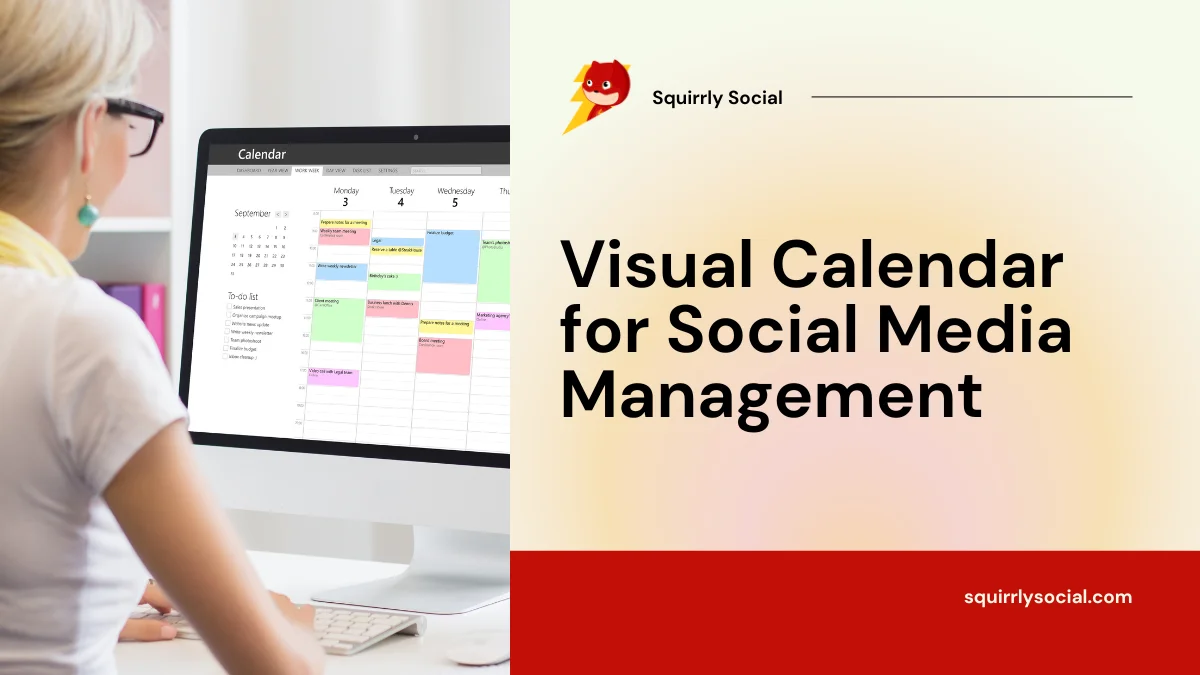
Keeping up with social media can feel like a full-time job, especially when you’re juggling everything else. That’s where the Visual Calendar for Social Media Management inside Squirrly Social comes in. It gives you a clear view of your upcoming posts, so you can plan ahead without scrambling at the last minute. Whether you’re mapping out a week or a whole month, this feature helps you stay organized and consistent across all your channels. No more guessing what’s going live and when—just drag, drop, and breathe easier knowing your content is ready to go.
Plan Content with Ease Using the Visual Calendar
The drag-and-drop calendar inside Squirrly Social helps you see everything in one place. You can quickly look at your week or month and know what’s going out on each platform. This makes it easy to spot any gaps or overlaps in your posts. With just a few clicks, you can shift posts around to better match your goals or timing.
Whether you’re sharing tips, news, or updates, the calendar lets you line up your content without switching between tabs. No need to juggle spreadsheets or copy-paste into different tools. Everything shows up in one screen—Facebook, LinkedIn, X (Twitter), and more—so you’re not jumping around trying to keep track of where things go.
If plans change last minute, no problem. Just drag a post from one day to another. The system updates everything for you instantly. This helps when campaigns shift or when something new comes up that needs attention right away.
You can also group related content using Post Groups before adding them onto the calendar. This keeps things organized and saves time when scheduling similar types of posts across multiple days or weeks.
The Visual Calendar for Social Media Management inside Squirrly Social is built for people who need fast control over their posting schedule but don’t want to spend hours doing it manually. It works well for those handling social media alone or as part of a small team.
Instead of wondering if you’ve posted too much on one channel—or not enough—you get a full picture right away. The layout helps make smarter decisions about timing and variety without second-guessing yourself every step of the way.
By making changes quick and planning simple, this tool gives users more time back while keeping accounts active and fresh every day of the week.
Boost Team Collaboration and Workflow Efficiency
Working together on social media can feel messy. Messages get lost in chats. Files sit in different folders. Plans change, but not everyone knows right away. That’s where the Visual Calendar for Social Media Management inside Squirrly Social steps in to help.
The calendar gives your whole team one clear place to see what’s happening next. Everyone with access can view upcoming posts, check what’s already been published, and suggest changes if something needs a quick update. No extra emails or meetings needed.
Need to adjust a post date? Anyone on the team can drag and drop it into a new time slot directly in the calendar view. That way, updates happen fast—and without confusion. You don’t need to explain over group messages when things shift around.
If someone has feedback about a post before it goes live, they can leave comments right there on the scheduled item. This keeps all notes linked to the content itself, so nothing gets lost or taken out of context.
Smaller teams benefit most because they often split roles—writing copy one day, choosing images another day, scheduling later on. With this setup, each person sees how their part fits into the full plan without jumping between tools.
Squirrly Social’s calendar works well with its other features too—like Post Groups and AI-written posts—so teams stay organized even when juggling multiple projects at once. The layout makes it easier for busy people to spot gaps or overlaps in posting schedules quickly.
By using this shared space for planning and editing posts together, teams avoid miscommunication and save time that would’ve gone into back-and-forth updates elsewhere.
Stay Ahead with the Visual Calendar for Social Media Management
Managing social media takes time. When you’re juggling tasks, it’s easy to let posts slip through the cracks. That’s where the Visual Calendar for Social Media Management inside Squirrly Social becomes useful. It shows all your scheduled content in one place, so you can see your plan by day, week, or month.
This calendar helps you stay organized without needing to check each platform one by one. You can drag and drop posts right on the calendar to move them around if plans change. That means no more guessing what’s going live next or when a post was last published.
If you want to stay active online but don’t have hours every week to create new content, this tool gives you breathing room. With Evergreen 2.0 from Squirrly Social, your older posts get rewritten using AI and added back into your calendar automatically. This keeps things fresh while saving time.
Planning ahead also helps avoid gaps in posting that make accounts look inactive. By filling up your Visual Calendar early on, you keep a steady presence across all channels—without logging in every day to schedule something new.
The Post Groups feature adds another layer of control here. You can sort content into categories like tips, promotions, or blog shares and space them out evenly over time using the calendar view.
For those who also use Next Level Marketing AI inside Squirrly Social, any auto-generated posts appear straight in the calendar too—ready for review or rescheduling if needed.
Whether you’re working alone or with a small team, seeing everything laid out this way makes it easier to plan smart and avoid last-minute scrambling. Everything stays visible and under control—even when life gets busy elsewhere in your business.
Gain Insights Through Post Preview and Scheduling Tools
Planning posts without knowing how they’ll look can lead to mistakes. That’s why the Visual Calendar for Social Media Management inside Squirrly Social includes a post preview feature. It lets you see your content exactly as it will appear once published. This simple step helps spot issues early, like broken links, missing images, or awkward spacing.
When you’re handling many tasks at once, it’s easy to overlook small details. The preview tool gives you a clear picture of each post before it goes live. You can check formatting, hashtags, and how the message fits with your brand tone across different platforms.
The calendar also supports flexible scheduling tools that make life easier. Drag-and-drop options let you plan ahead without stress. You can move posts around your content calendar until everything feels right. If something changes last minute—like a product launch date or trending topic—you can quickly shift things without starting over.
This level of control is helpful when you’re trying to stay consistent online but don’t have time every day to keep checking in. With the scheduling tools built into Squirrly Social, you set up content days—or weeks—in advance and trust it’ll go out on time.
Squirrly Social takes this even further by allowing automation through Post Groups and Next Level Marketing AI. Once your posts are planned in the calendar and previewed for quality, they’re ready for hands-free publishing across all connected platforms.
Seeing everything laid out visually helps reduce confusion and saves time during planning sessions. You won’t need extra spreadsheets or sticky notes anymore because everything sits in one place—organized by platform, group, or campaign goal.
With fewer surprises after posting—and less backtracking to fix errors—you’ll feel more confident about what gets shared from your brand page each day of the week.
Streamline Your Social Strategy Without the Stress
By bringing clarity and control to your content planning, the Visual Calendar for Social Media Management inside Squirrly Social makes it easier than ever to stay organized and consistent online. From simplifying post scheduling with intuitive previews to enhancing team collaboration and automating workflows, this feature is designed to support busy creators who juggle multiple roles. Combined with Squirrly Social’s powerful AI tools—like Evergreen 2.0 and smart content discovery—you can keep your social presence active without burning out. It’s a smarter way to manage social media that saves time while keeping your brand fresh and engaging.